Color Graphics Adapter
From Wikipedia, the free encyclopedia
 |
This article needs additional citations for verification. Please help improve this article by adding reliable references. Unsourced material may be challenged and removed. (December 2007) |

The Color Graphics Adapter (CGA), introduced in 1981, was IBM's first color graphics card (originally sold under the name "Color/Graphics Monitor Adapter"), and the first color computer display standard for the IBM PC.
The standard IBM CGA graphics card is equipped with 16 kilobytes of video memory, and can be connected either to a NTSC-compatible monitor or TV via an RCA jack, or to a dedicated RGBI interface CRT monitor. Based around the Motorola MC6845 display controller, the CGA card features several graphics and text modes. The highest resolution of any mode is 640×200, and the highest color depth supported is 4-bit (16 colors).
Contents |
[edit] The CGA color palette
| Full CGA 16-color palette | |||
|---|---|---|---|
| 0 | black #000000 |
8 | (dark) gray #555555 |
| 1 | blue #0000AA |
9 | bright blue #5555FF |
| 2 | green #00AA00 |
10 | bright green #55FF55 |
| 3 | cyan #00AAAA |
11 | bright cyan #55FFFF |
| 4 | red #AA0000 |
12 | bright red #FF5555 |
| 5 | magenta #AA00AA |
13 | bright magenta #FF55FF |
| 6 | brown #AA5500 |
14 | yellow #FFFF55 |
| 7 | white (light gray) #AAAAAA |
15 | bright white #FFFFFF |
- See also List of 8-bit computer hardware palettes - CGA
The CGA's maximum color depth of four bits results in a palette of 16 colors. The lower three bits, representing red, green and blue, corresponded to the three cathode rays, with black meaning all three cathodes are almost off. Cyan is a mixture of blue and green, magenta was blue and red, and orange-brown is green and red. White (or light gray) uses all three cathodes.
The remaining 8 colors are achieved by turning on a fourth "intensifier" bit, giving a brighter version of each color, although the dark gray color is indistinguishable from black with many monitors. CGA's "RGB plus intensity bit" design is also called RGBI.
[edit] Standard text modes
CGA offers two text modes:
- 40×25 characters in up to 16 colors. Each character is a pattern of 8×8 dots. The effective screen resolution in this mode is 320×200 pixels (a pixel aspect ratio of 1:1.2), though individual pixels cannot be addressed independently. The choice of patterns for any location is thus limited to one of the 256 available characters, the patterns for which are stored in a ROM chip on the card itself. The display font in text mode (the code page 437 character set) is therefore fixed and cannot be changed (although when using the original IBM CGA in an original IBM PC, it is possible to select one of two different fonts—normal or thin—by changing a jumper. Many clones didn't offer this possibility). The card has sufficient video RAM for 8 different text pages in this mode.
- 80×25 characters in up to 16 colors. Each character is again an 8×8 dot pattern (the same character set is used as for 40×25), in a pixel aspect ratio of 1:2.4. The effective screen resolution of this mode is 640×200 pixels. Again, the pixels cannot be individually addressed. Since there are twice as many characters on the screen in this mode, the card has enough video RAM for just 4 different text pages.
In every text mode, each character has a background and a foreground color — e.g. red on yellow text for one character, white on black for the next, etc. While the same 4-bit nybble used for the foreground color would normally allow all 16 colors to be used for the background color, the most significant bit of the background nybble is also used to denote whether or not the character should blink (a hardware effect offered by CGA independent of the CPU). The blinking attribute effect is enabled by default, so disabling it is the only way to freely choose the latter 8 color indexes (8-15) for the background color.
[edit] Standard RGB graphics modes
CGA offers two commonly-used graphics modes:
- 320×200 pixels, as with the 40×25 text mode. In the graphics mode, however, each pixel can be addressed independently. The tradeoff is that only 4 colors can be displayed at a time. However, only one of the four colors can be freely chosen from the 16 CGA colors — there are only two official palettes for this mode:
|
||||||||||||||||
|

 |

-
- Magenta, cyan, white and background color (any of the 16 colors, black by default).
- Red, green, brown/yellow and background color (any of the 16 colors, black by default).
- By setting the high-intensity bit, brighter versions of these modes can be accessed.
- The 1:1.2 pixel aspect ratio needs to be taken into account when drawing large geometrical shapes on the screen.
- 640×200 pixels, as with the 80×25 text mode. All pixels can be addressed independently. This mode is monochrome with a pixel aspect ratio of 1:2.4. By default the colors are black and white, but the foreground color (white) can be changed to any other color of the CGA palette. This can be done at runtime without refreshing the screen.
In text mode, font bitmap data comes from the character ROM on the card, which is only available to the card itself. In graphics modes, text output by the BIOS uses two separate tables: The first half of the character set (128 characters) is supplied by a table in the BIOS ROM chip on the computer's mainboard at F000:FA6E, and the second half is supplied by the location pointed to by interrupt 1F (0000:007C). The second half of the character set will display as blanks (or garbage, depending on implementation) unless they are explicitly defined, usually by a utility such as GRAFTABL or by the calling program.
[edit] Further RGB graphics modes and tweaks
| Index | 3rd palette |
|---|---|
| 0 | default |
| 1 | 3 — cyan |
| 2 | 4 — red |
| 3 | 7 — white (light gray) |
A number of official and unofficial features exist that can be exploited to achieve better graphics on an RGBI monitor.
- In 320×200 graphics mode, the background color, which defaults to black on mode initialization, can be changed to any of the other 15 colors of the CGA palette. This allows for some variation, as well as flashing effects, as the background color can be changed without having to redraw the screen.
- In 640×200 graphics mode, the foreground color can be changed from its usual white to any of the other 15 colors.
- In text mode, the border color (displayed outside the regular display area) can be changed from its usual black to any of the other 15 colors.
- A third 320×200 4-color palette is achieved by enabling the monochrome bit while in color graphics mode. This switches the current graphics palette to red, cyan, white and the background color.
- Through precision timing, it is possible to switch to another palette while the screen content was still being drawn, allowing the use of any one of the 6 palettes per scanline. The best example of this in use is the game California Games[1] when run on a stock 4.77 MHz 8088. (Running it on a faster computer does not produce the effect, as the method the programmers used to switch palettes at predetermined locations is extremely sensitive to machine speed.) The same can be done with the background color, to create the river and road in Frogger.[2]
- Additional colors are often approximated using dithering, although the low resolution makes it very apparent. In particular, the game King's Quest uses palette 2 at low intensity and low intensity blue as the background colour. This gives it the three primary RGB colours to work with (as well as brown).
Some of these above tweaks can even be combined. Examples can be found in several games.[3] Most software titles did not use these possibilities, but there were a few impressive exceptions.
[edit] The 160×100 16 color mode
Technically, this mode is not a graphics mode, but a tweak of the 80×25 text mode. The character cell height register is changed to display only 2 lines per character cell instead of the normal 8 lines. This quadruples the number of text rows displayed from 25 to 100. These "tightly squeezed" text characters are not full characters. The system only displayes their top two lines of pixels (8 each) before moving on to the next row.
 |
Character 221. |
 |
221 with blue text and red background color. |
 |
221 with red text and blue background color. |
 |
Character 222. |
Character 221 in the extended ASCII character set consists of a box occupying the entire left half of the character matrix. (Character 222 consists of a box occupying the entire right half.)
Because each character can be assigned different foreground and background colors, it can be colored (for example) blue on the left (foreground color) and bright red on the right (background color). This can be reversed by swapping the foreground and background colors.

Using either character 221 or 222, each half of each truncated character cell can thus be treated as an individual pixel — making 160 horizontal pixels available per line. Thus, 160×100 pixels at 16 colors, with an aspect ratio of 1:1.2, are possible.
Although a roundabout way of achieving 16 color graphics display, this works quite well [1] and the mode is even mentioned (although not explained) in IBM's official hardware documentation.
More detail can be achieved in this mode by using other characters, combining ASCII art with the aforesaid technique.
Because the CGA has 16384 bytes of graphics memory, not 16000, it is just as easy to set the number of lines in this mode to 102 instead of 100 for a resolution of 160×102. This uses extra video memory that is normally unused. However, most games did not do this, perhaps out of fear it would only work on some monitors but not others.
The same text cell height reduction technique can also be used with the 40×25 text mode. This only made sense when using ASCII art, because without it the resulting resolution would only have been 80×100.[4][5][6]
[edit] Composite video display
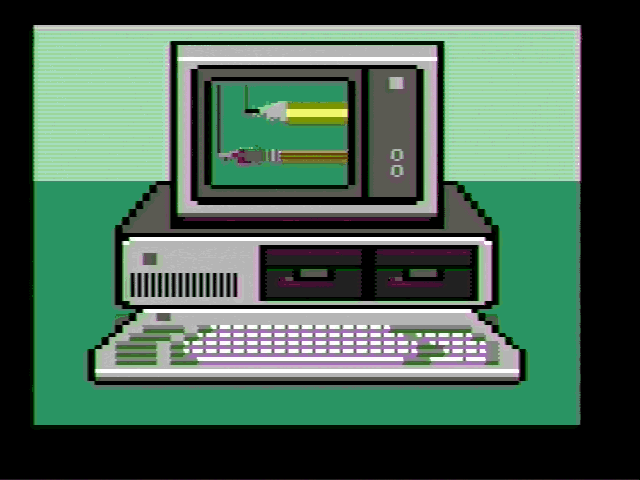
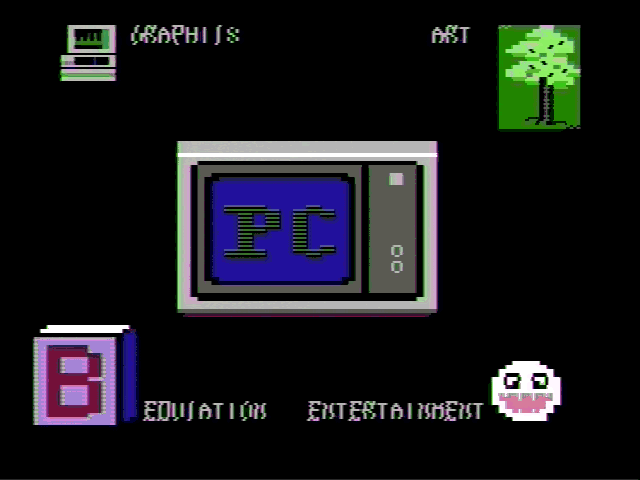
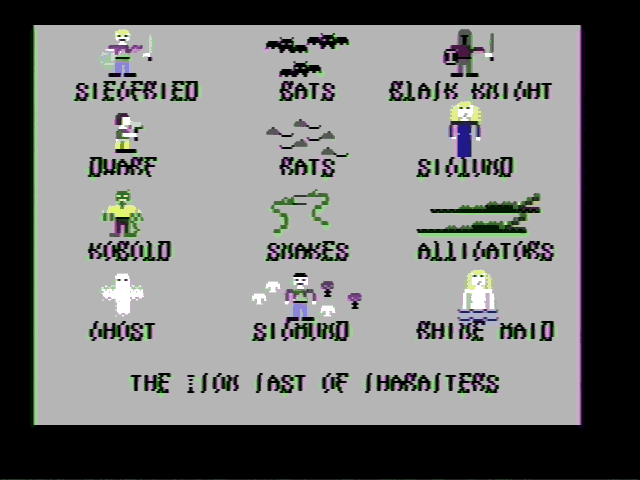
While connecting a dedicated RGBI color monitor was the more common configuration, it is also possible to connect an NTSC-compatible composite color monitor, or even a normal TV set, to the CGA's RCA output jack. As is common with NTSC composite video, the separation between luminance and chrominance is far from perfect, yielding cross-color artifacts, or color "smearing". This is especially a problem with 80-column text:

For this reason, using an RGBI color monitor was the preferred configuration.
[edit] A flaw turned into an advantage
However, programmers soon found out that this flaw could be turned into an asset, as distinct patterns of high-resolution dots would "smear" into consistent areas of solid colors, thus allowing the display of completely new colors. Since these new colors are the result of cross-color artifacting, they are often called artifact colors. Both the standard 320×200 four-color and the 640×200 black-and-white graphics modes could be used with this technique.
[edit] Internal operation
Direct colors, that is, the normal colors that are seen on an RGB monitor, are encoded by the CGA's onboard hardware into an NTSC-compatible signal fed to the card's RCA output jack. For cost reasons, this is not done using an RGB-to-YIQ converter as called for by the NTSC standard, but by a series of flip-flops and delay lines.[7] Consequently, these colors look somewhat different on a composite color monitor compared to RGB; most notably, color 6 again looks dark-yellow instead of brown.
As stated before, artifact colors are seen because the composite monitor's NTSC chroma decoder misinterprets some of the luminance information as color. By carefully placing pixels in appropriate patterns, the skilled programmer produces particular cross-color artifacts yielding the desired color; either from purely black-and-white pixels in 640×200 mode, or resulting from a combination of direct and artifact colors in 320×200 mode, as seen in these pictures.
 320×200 palette 1 |
 320×200 palette 2 |
 640×200 |
Thus, with the choice of 320×200 vs. 640×200 mode, the choice of palette (1 or 2) and the freely-selectable color 0 in 320×200 modes (see above), each one of these parameters results in a different set of artifact colors, making for a total gamut of well over a hundred colors, of which 16 can be displayed at the same time.
[edit] Availability and caveats
The 320×200 variant of this technique (see above) is how the standard BIOS-supported graphics mode looks on a composite color monitor. The 640×200 variant however requires modifying a bit (color burst disable) directly in the CGA's hardware registers, as a result, it is usually referred to as a separate "mode", often just as "the" composite color mode, since its more distinctive set of artifact colors led it to being more commonly used than the 320×200 variant.
Being completely dependent on the NTSC encoding/decoding process, composite color artifacting is not available on an RGBI monitor, nor is it emulated by EGA, VGA or contemporary graphics adapters.
Using the same monitor at the same settings, direct colors are constant from card to card and host system to host system. Artifact colors, on the other hand, tend to drift in hue. (This is unrelated to the hue shift problem encountered in the terrestrial reception of NTSC broadcast signals.) For this reason, the original IBM PC and XT design provides a trimpot labeled "COLOR ADJUST"[8] which modifies the phase difference between the ISA bus' CLK and OSC signals that leaves direct colors constant while changing the hue of artifact colors.
Host systems that lack a "COLOR ADJUST" trimpot, such as the Tandy 1000's internal video hardware, might produce erratic artifact colors and require hue adjustment on the composite color monitor. Later systems do not provide a proper OSC signal at all, rendering the composite color display completely unusable.
[edit] Resolution and usage
Due to the relationship between the CGA's pixel clock and the NTSC color subcarrier, the effective horizontal resolution was reduced to 160 pixels of 16 simultaneously available colors, or 320 pixels when limiting oneself to black and white pixels. The vertical resolution remained 200 pixels. The resulting composite video display with "artifacted" colors was thus sometimes described as a 160x200/16 color "mode", though technically is was a method, not a mode.
The low resolution of this composite color artifacting method led to it being used almost exclusively in games, with many of the more high-profile titles optionally, sometimes exclusively, offering graphics optimized for composite color monitors:
 Ultima II |
 King's Quest |
[edit] Bugs and errata
In 80-column text mode, bad prioritization of granting access to the single-ported display RAM gives the host system's CPU a higher priority than the video hardware, resulting in display errors ("snow") whenever the CPU accesses display RAM. Prudent programmers compensated by limiting display RAM accesses to the retrace period. This problem is neither present in any other display mode, nor in most other display adapters.
The video controller 6845's row counter being only seven bits wide, display RAM in graphics modes is laid out in a 2:1 interlace pattern, first laying out the data for rows 0, 2, 4, etc., then the data for rows 1, 3, 5, etc., adding additional software overhead for display RAM manipulation. This is unrelated to the NTSC field interlace.
| Dark Yellow | |
|---|---|
| 6 | #AAAA00 |
As previously mentioned, IBM designed the 5153 CGA monitor to intentionally darken color index #6 from dark yellow to brown; however, some clone monitors did not have this circuitry. On such monitors, or 5153 monitors where this circuitry had failed, color index #6 will remain dark yellow (see color example).
The total amount of video memory on a CGA card (16384 total bytes) is not fully utilised by all BIOS-initiated video modes (40×25 and 80×25 text modes, 320×200 and 640×200 graphics modes). Only by setting up video modes manually using CGA port writes can all 16384 bytes be displayed as pixel elements simultaneously.
[edit] Specifications
[edit] Connector
The Color Graphics Adapter uses a standard DE-9 connector.
| Pin | Function |
|---|---|
| 1 | Ground |
| 2 | Ground |
| 3 | Red |
| 4 | Green |
| 5 | Blue |
| 6 | Intensity |
| 7 | Reserved |
| 8 | Horizontal Sync |
| 9 | Vertical Sync |
[edit] Signal
| Type | Digital, TTL |
|---|---|
| Resolution | 640h × 200v, 320h × 200v |
| H-freq | 15.75 kHz |
| V-freq | 60 Hz |
| Colors | 16 |
[edit] Competing adapters
CGA had two main competitors:
- For business and word processing use, IBM launched its Monochrome Display Adapter (MDA) at the same time as CGA, which produced a higher resolution text display in 80×25 mode, rendering each character in a box of 9×14 pixels, of which 7×11 were the character itself. This produced sharper and more clearly separated characters than the CGA's 8×8 dots text character matrix allowed. Because of this and CGA's higher price at the time, MDA was often preferred for business use.
- In 1982, the non-IBM Hercules Graphics Card (HGC) was introduced. In addition to an MDA-compatible text mode, it offered a monochrome graphics mode. With a resolution of 720×348 pixels, its graphics mode was better than what CGA could produce. The Hercules adapter's offer of better monochrome graphics and its ability to work with less expensive monochrome monitors made it a desirable choice for many. As early as 1985, emulator memory-resident programs such as SIMCGA were available, allowing the display of CGA graphics mode data in Hercules graphics modes (the result looking like crude dithering).
A less widely-used competitor was the Plantronics Colorplus, a CGA-compatible card which doubles the video RAM to 32k, thus allowing 16 colors at 320×200 resolution and 4 colors at 640×200 resolution. The "extended CGA" modes provided by the IBM PCjr and Tandy 1000 are similar to these modes.
Another extension in some CGA-compatible chipsets (including those in the Olivetti M24, the DEC VAXmate, and some Compaq and Toshiba portables) is a doubled vertical resolution. This gives a higher-quality text display and an extra 640×400 graphics mode.
The CGA card was succeeded in the consumer space by IBM's Enhanced Graphics Adapter (EGA) card, which supports most of CGA's modes, and added an additional resolution (640×350) as well as a software-selectable palette of 16 colors out of 64 in both text and graphics modes.
[edit] Market penetration
When IBM introduced its PC in 1981, the CGA standard, though introduced at the same time, was used relatively little at first. Most people bought PCs for business computing. For gaming, other brands of home computers were much more popular, and at that time color graphics were considered to have little more than toy value. Thus, most early PC buyers opted for the cheaper text-only Monochrome Display Adapter (MDA) instead of CGA.
In 1982 came the introduction of the Hercules Graphics Card, which offered monochrome-only graphics at a much higher resolution than the CGA card and was more compatible with MDA, further eroding CGA's market share. The HGC was arguably the most commonly-utilized card connected to monochrome monitors throughout the IBM PC's life.
Things changed in 1984 when IBM introduced the PC AT and the Enhanced Graphics Adapter (EGA). Along with this move, the price of the older CGA card was lowered considerably; it now became an attractive low-cost option and was soon adopted by the new PC cloning companies as well. Entry-level non-AT PCs with CGA graphics sold very well during the next few years, and consequently there were many games released for such systems, despite their limitations. CGA's popularity started to wane after VGA became IBM's high-level standard and EGA the entry-level standard in 1987.
[edit] References
- ^ mobygames.com
- ^ mobygames.com
- ^ mobygames.com
- ^ oldskool.org
- ^ oldskool.org
- ^ oldskool.org
- ^ Dean et al. (1984): Composite video color signal generation from digital color signals. U.S. Patent #4,442,428
- ^ IBM Corporation (1983): IBM Personal Computer XT Technical Reference Manual, page D-3.
- ZiffDavis-Net site with info on old display adapters, including CGA (note: inaccurately states Hercules cards offered 4 colors.)
- Comprehensive FAQ on old display adapters (Usenet archive, some details speculated and/or inaccurate)
- IBM PC-Compatible CGA Video Reference — includes technical details
- CGA monitor calibration — Technical information on the IBM 5153 monitor's color decoding and calibration
- IBM Color Graphics Adapter (CGA) (Thor Kildsen)
- IBM Personal Computer Hardware Library: Technical Reference (Revised edition, 1983)
- This article was originally based on material from the Free On-line Dictionary of Computing.
[edit] See also
- RGB color model
- Graphics card
- Graphics processing unit
- List of display interfaces
- List of 8-bit computer hardware palettes - CGA section
- Code page 437
[edit] External links
- Games with CGA Graphics
- Representative screenshots of CGA games
- User Friendly thread on the use of CGA
|
|||||||||||||