Image:Windows AntiSpyware Beta 1.png
From Wikipedia, the free encyclopedia
No higher resolution available.
Windows_AntiSpyware_Beta_1.png (750 × 547 pixels, file size: 80 KB, MIME type: image/png)
Contents |
[edit] Summary
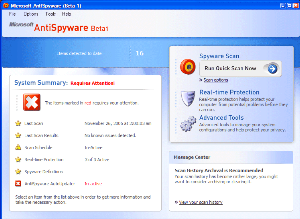
Screenshot of Windows AntiSpyware version 1.0.701. The image was taken on the Windows XP Home Edition operating system.
[edit] Source
Originally uploaded as "Windows Anti Spyware.gif" on 22 Feb 2006 by Alvinrune. This new version is in the PNG format and is the exact same quality as the original but with a smaller file size.
[edit] Licensing
 |
This is a screenshot of copyrighted computer software, and the copyright for its contents is most likely held by the author(s) or the company that created the software. It is believed that the use of a limited number of web-resolution screenshots:
…qualifies as fair use under United States copyright law. Any other uses of this image, on Wikipedia or elsewhere, may be copyright infringement. See Wikipedia:Non-free content for more information.  If this is a screenshot of free software (GPL, BSD, etc.) do not use this template! Use the license tag that correspond to the license instead, optionally alongside {{Free screenshot}} to categorize as a free screenshot. If this is a screenshot of free software (GPL, BSD, etc.) do not use this template! Use the license tag that correspond to the license instead, optionally alongside {{Free screenshot}} to categorize as a free screenshot. |
[edit] Rationale
- Screenshot that demonstrates Windows AntiSpyware's user interface
- Not likely to cause any financial damage to Microsoft
- A screenshot is pretty safe territory
- Wikipedia is a non-profit organisation, downstream providers who are not non-profit will need to consider whether they will take the risk in using this image
- Clearly used for educational use of what Windows AntiSpyware looks like
This rationale applies to the use of this screenshot on the Windows Defender article.
File history
Click on a date/time to view the file as it appeared at that time.
| Date/Time | Dimensions | User | Comment | |
|---|---|---|---|---|
| current | 02:49, 15 December 2006 | 750×547 (80 KB) | Remember the dot (Talk | contribs) | (User:Alvinrune took this snapshot of Windows AntiSpyware version 1.0.701. The image was taken on the Windows XP Home Edition operating system. Originally uploaded as "Windows Anti Spyware.gif" on 22 Feb 2006 by [[User:Alv) |
- Search for duplicate files
- Edit this file using an external application
See the setup instructions for more information.


