Image:Spherical wave2.gif
From Wikipedia, the free encyclopedia
No higher resolution available.
Spherical_wave2.gif (178 × 178 pixels, file size: 117 KB, MIME type: image/gif)

| This is a file from the Wikimedia Commons. The description on its description page there is shown below.
|
| Description |
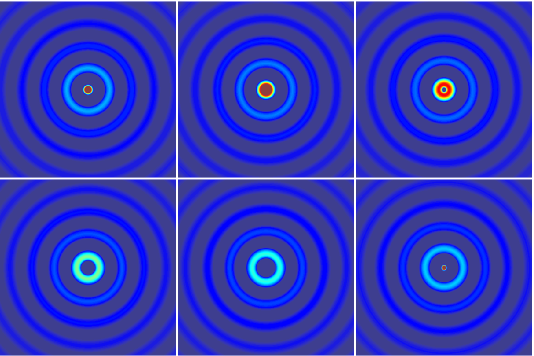
Illustration of a en:Spherical wave |
|---|---|
| Source |
self-made with MATLAB |
| Date |
05:43, 7 November 2007 (UTC) |
| Author | |
| Permission (Reusing this image) |
see below |
 |
I, the copyright holder of this work, hereby release it into the public domain. This applies worldwide. In case this is not legally possible: Afrikaans | Alemannisch | Aragonés | العربية | Asturianu | Български | Català | Česky | Cymraeg | Dansk | Deutsch | Eʋegbe | Ελληνικά | English | Español | Esperanto | Euskara | Estremeñu | فارسی | Français | Galego | 한국어 | हिन्दी | Hrvatski | Ido | Bahasa Indonesia | Íslenska | Italiano | עברית | Kurdî / كوردی | Latina | Lietuvių | Latviešu | Magyar | Македонски | Bahasa Melayu | Nederlands | Norsk (bokmål) | Norsk (nynorsk) | 日本語 | Polski | Português | Ripoarisch | Română | Русский | Shqip | Slovenčina | Slovenščina | Српски / Srpski | Svenska | ไทย | Tagalog | Türkçe | Українська | Tiếng Việt | Walon | 中文(简体) | 中文(繁體) | zh-yue-hant | +/- |
[edit] See also

[edit] MATLAB source code
% an illustration of a spherical wave

plane_wave = 1;
spherical_wave = 2;

%wave_type = plain_wave;
wave_type = spherical_wave;

if wave_type == plane_wave

   % window size
   Lx=0.4;
   Lx=1;

   % blow up the image by this factor to display better
   factor = 80;

   % a small shift to be added below for graph. purposes.
   shift = 0.3;

elseif wave_type == spherical_wave

      Lx = 0.5;
      Ly = Lx;
      factor = 1;
      shift = 3;
end


Mx = Lx/2;
Wy = Ly/2;

M=400;
N = floor(M*Ly/Lx);

[X, Y]=meshgrid(linspace(-Lx/2, Lx/2, M), linspace(-Ly/2, Ly/2, N));


wavenumber = 100;

T = 1;
nt = 10;
Time = linspace(0, T, nt);

for repeat = 1:1

   % go over one time period of the field
   for iter = 1:(nt-1) % nt is same as 1 due to peridicity

      t = Time(iter);

      if wave_type == plane_wave

         % plane wave
         Z = real(exp(i*wavenumber*Y)*exp(-i*2*pi*t));

      elseif wave_type == spherical_wave

         % spherical wave
         Z = exp(sqrt(-1)*wavenumber*sqrt(X.^2+Y.^2))*exp(-sqrt(-1)*2*pi*t)./sqrt(X.^2+Y.^2);
      end

      % plot the real part of the field Z

      figure(1); clf; hold on; axis equal; axis off;
      image(factor*(real(Z+shift))); % add shift to Z for graphing purposes
      colormap jet; shading interp;

      file = sprintf('Movie_frame%d.eps', 1000+iter);
      disp(file); %show the frame number we are at
      saveas(gcf, file, 'psc2') %save the current frame

      pause(0.1);

   end

end

% The following command was used to create the animated figure.
% convert -antialias -loop 10000  -delay 15 -compress LZW Movie_frame10* Spherical_wave2.gif
File history
Click on a date/time to view the file as it appeared at that time.
| Date/Time | Dimensions | User | Comment | |
|---|---|---|---|---|
| current | 04:46, 8 November 2007 | 178×178 (117 KB) | Oleg Alexandrov | (Tweak, same license) |
| 05:43, 7 November 2007 | 349×348 (150 KB) | Oleg Alexandrov | ({{Information |Description=Illustration of a en:Spherical wave |Source=self-made with MATLAB |Date=~~~~~ |Author= Oleg Alexandrov |Permission= |other_versions= }} {{PD-self}} ==MATLAB source code== <pre> <nowiki> % an illus) |


