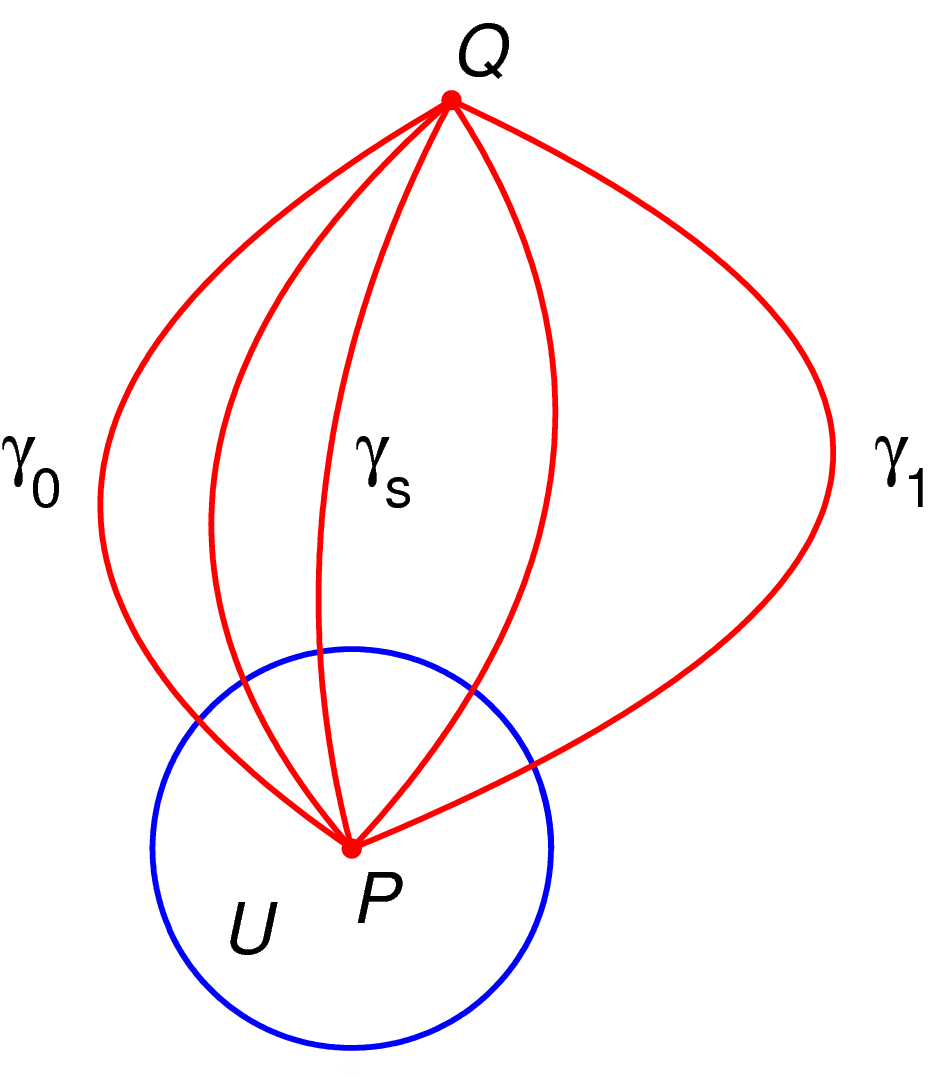
Image:Homotopy with fixed endpoints.png
From Wikipedia, the free encyclopedia
Size of this preview: 525 × 600 pixels
Full resolution (944 × 1,078 pixels, file size: 39 KB, MIME type: image/png)

| This is a file from the Wikimedia Commons. The description on its description page there is shown below.
|
Made by myself with MATLAB.
 |
I, the copyright holder of this work, hereby release it into the public domain. This applies worldwide. In case this is not legally possible: Afrikaans | Alemannisch | Aragonés | العربية | Asturianu | Български | Català | Česky | Cymraeg | Dansk | Deutsch | Eʋegbe | Ελληνικά | English | Español | Esperanto | Euskara | Estremeñu | فارسی | Français | Galego | 한국어 | हिन्दी | Hrvatski | Ido | Bahasa Indonesia | Íslenska | Italiano | עברית | Kurdî / كوردی | Latina | Lietuvių | Latviešu | Magyar | Македонски | Bahasa Melayu | Nederlands | Norsk (bokmål) | Norsk (nynorsk) | 日本語 | Polski | Português | Ripoarisch | Română | Русский | Shqip | Slovenčina | Slovenščina | Српски / Srpski | Svenska | ไทย | Tagalog | Türkçe | Українська | Tiếng Việt | Walon | 中文(简体) | 中文(繁體) | zh-yue-hant | +/- |
[edit] Source code
% illustrate homotopy with fixed endpoints
function main()

   lw=2;  % line width
   fs=25; % font size
   h=1/100;
   tiny = 0.004;
   tinyrad=0.02;
   red = [1, 0, 0];
   white = 0.99*[1 1 1];

   % prepare the figure
   figure(1); clf; hold on; axis equal; axis off;

   % generate the curve on which the analytic continuation will take place
   XX=[-0.1, 0.3, 0.1]; YY=[0, 1, 1.5];
   Y=YY(1):h:YY(length(YY)); X=spline(YY, XX, Y);

   % plot a circle
   rad=0.4; plot_circle(X(1), Y(1), rad, lw)

   % plot the curves
   t=0; X=spline(YY, XX+[0, t, 0], Y); plot(X, Y, 'color', red, 'linewidth', lw);
   t=0.5; X=spline(YY, XX+[0, t, 0], Y); plot(X, Y, 'color', red, 'linewidth', lw);
   t=-0.8; X=spline(YY, XX+[0, t, 0], Y); plot(X, Y, 'color', red, 'linewidth', lw);
   t=-0.6; X=spline(YY, XX+[0, t, 0], Y); plot(X, Y, 'color', red, 'linewidth', lw);
   t=-0.4; X=spline(YY, XX+[0, t, 0], Y); plot(X, Y, 'color', red, 'linewidth', lw);

   % plot text
   N = length(X);
   Nh = floor(N/2);
   text(X(1), Y(1)-tiny*fs, '\it{P}', 'fontsize', fs)
   text(X(N), Y(N)+tiny*fs, '\it{Q}', 'fontsize', fs)
   text(X(Nh)-0.65, Y(Nh), '\gamma_0', 'fontsize', fs)
   text(X(Nh)+0.06, Y(Nh), '\gamma_s', 'fontsize', fs)
   text(X(Nh)+1.1, Y(Nh), '\gamma_1', 'fontsize', fs)
   text(X(1)-0.26, Y(1)-0.16, '\it{U}', 'fontsize', fs)


   % plot some balls for emphasis
   ball(X(1), Y(1), tinyrad, red);
   ball(X(N), Y(N), tinyrad, red);

  % plot a dummy point to avoid having the picture cutt off at edges
  % when saving to eps (a matlab bug)
   plot(X(1), Y(1)-1.1*rad, '*', 'color', white)

   saveas(gcf, 'homotopy_with_fixed_endpoints.eps', 'psc2');

function plot_circle(x, y, r, lw)

   N=100;
   Theta=0:(1/N):2.1*pi;
   X=r*cos(Theta);
   Y=r*sin(Theta);

   plot(x+X, y+Y, 'linewidth', lw);

function plot_text(x, y, shiftx, shifty, str, fs, tinyrad, color)
   text(x+shiftx, y+shifty, str, 'fontsize', fs);
   ball(x, y, tinyrad, color);

function ball(x, y, r, color)
   Theta=0:0.1:2*pi;
   X=r*cos(Theta)+x;
   Y=r*sin(Theta)+y;
   H=fill(X, Y, color);
   set(H, 'EdgeColor', 'none');
File history
Click on a date/time to view the file as it appeared at that time.
| Date/Time | Dimensions | User | Comment | |
|---|---|---|---|---|
| current | 01:45, 9 April 2007 | 944×1,078 (39 KB) | Oleg Alexandrov | (Made by myself with MATLAB. {{PD-self}}) |
| 01:39, 9 April 2007 | 925×1,053 (39 KB) | Oleg Alexandrov | (Made by myself with MATLAB. {{PD-self}}) | |
| 01:39, 9 April 2007 | 925×1,053 (39 KB) | Oleg Alexandrov | (Made by myself with MATLAB. {{PD}}) |


