Image:Alwin Nikolais Headshot.jpg
From Wikipedia, the free encyclopedia
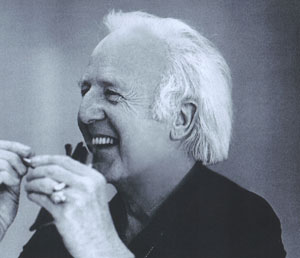
No higher resolution available.
Alwin_Nikolais_Headshot.jpg (300 × 258 pixels, file size: 14 KB, MIME type: image/jpeg)
[edit] Summary
Photographer: Ralph E. Sandler
[edit] Licensing
 |
This is a copyrighted image that has been released by a company or organization to promote their work or product in the media, such as advertising material or a promotional photo in a press kit. The copyright for it is most likely owned by the company who created the promotional item or the artist who produced the item in question; you must provide evidence of such ownership. Lack of such evidence is grounds for deletion. It is believed that the use of some images of promotional material to illustrate:
qualifies as fair use under United States copyright law. Any other usage of this image, on Wikipedia or elsewhere, might be copyright infringement. See Wikipedia:Non-free content and Wikipedia:Publicity photos. Additionally, the copyright holder may have granted permission for use in works such as Wikipedia. However, if they have, this permission likely does not fall under a free license.  |
[edit] Fair use for Alwin Nikolais
The image linked here is claimed to be used under fair use as:
- it is a historically significant photo of a famous individual;
- it is of much lower resolution than the original (copies made from it will be of very inferior quality)
- the photo is only being used for informational purposes.
- Its inclusion in the article adds significantly to the article because it shows the subject of this article. Grundlebug 16:26, 5 May 2006 (UTC)
File history
Click on a date/time to view the file as it appeared at that time.
| Date/Time | Dimensions | User | Comment | |
|---|---|---|---|---|
| current | 05:27, 10 December 2007 | 300×258 (14 KB) | Zscout370 (Talk | contribs) | (Reducing size) |
| 16:24, 5 May 2006 | 900×775 (509 KB) | Grundlebug (Talk | contribs) | (Photographer: Ralph E. Sandler {{Promophoto}} ) |
- Search for duplicate files
- Edit this file using an external application
See the setup instructions for more information.


